The product · built and run in Germany · core features in every plan

Every plan has the core features.

Check whether your websites are reachable. Choose who receives outage alerts and share results through status pages or reports. Start with one monitor; add alert plans, on-call schedules and the API when you need them.

€9 starting credit, no card, about three months of light use. After that, pay as you go from €3 a month or choose a monthly plan.

Inside the product

Status, history and reports in up4

Check status, understand the history and review results.

01 / Overview

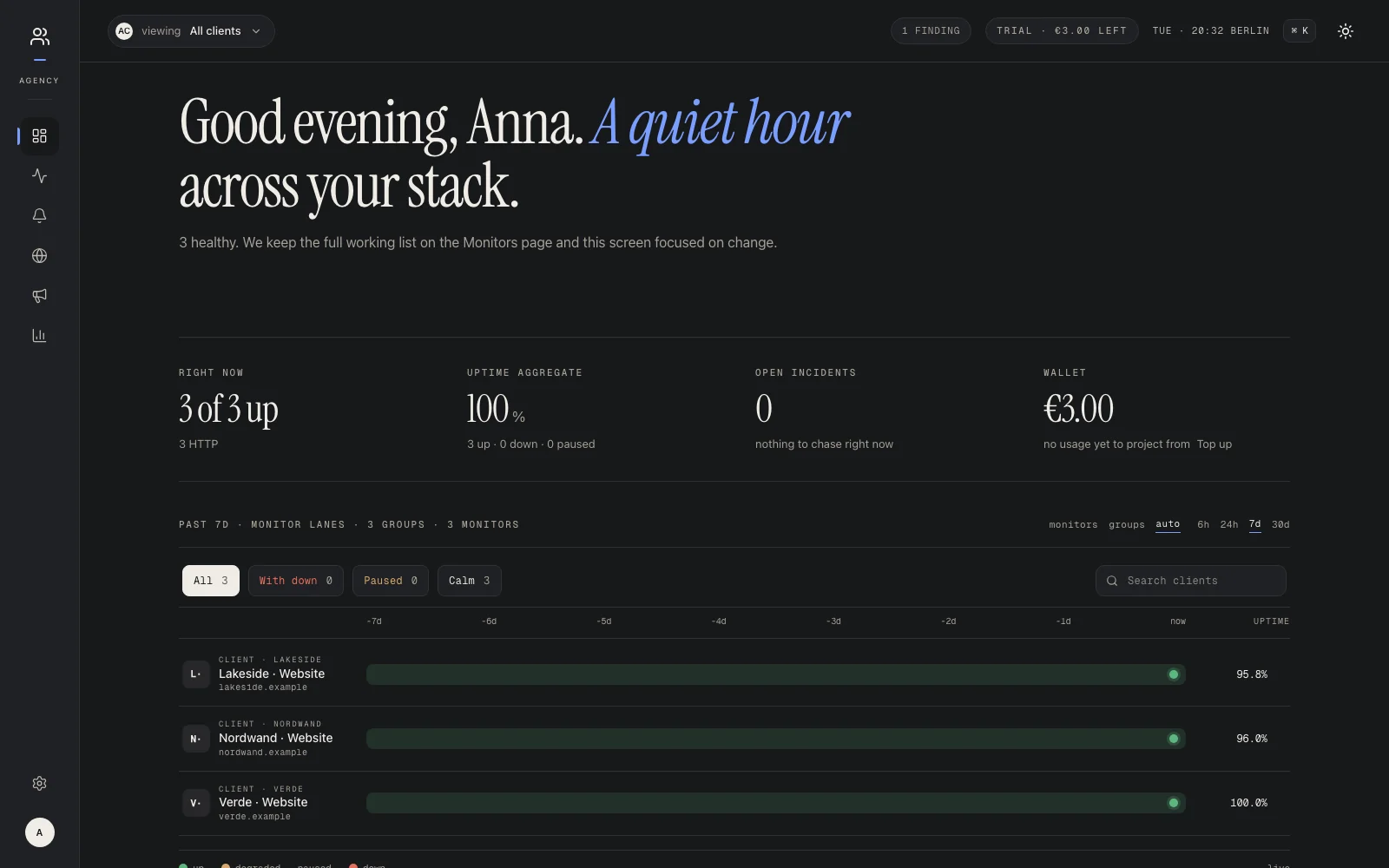
Every client in view

Website status and history across your clients, together on one page.

The up4 dashboard with client websites and recorded check history. Enlarge ↗
02 / Monitor

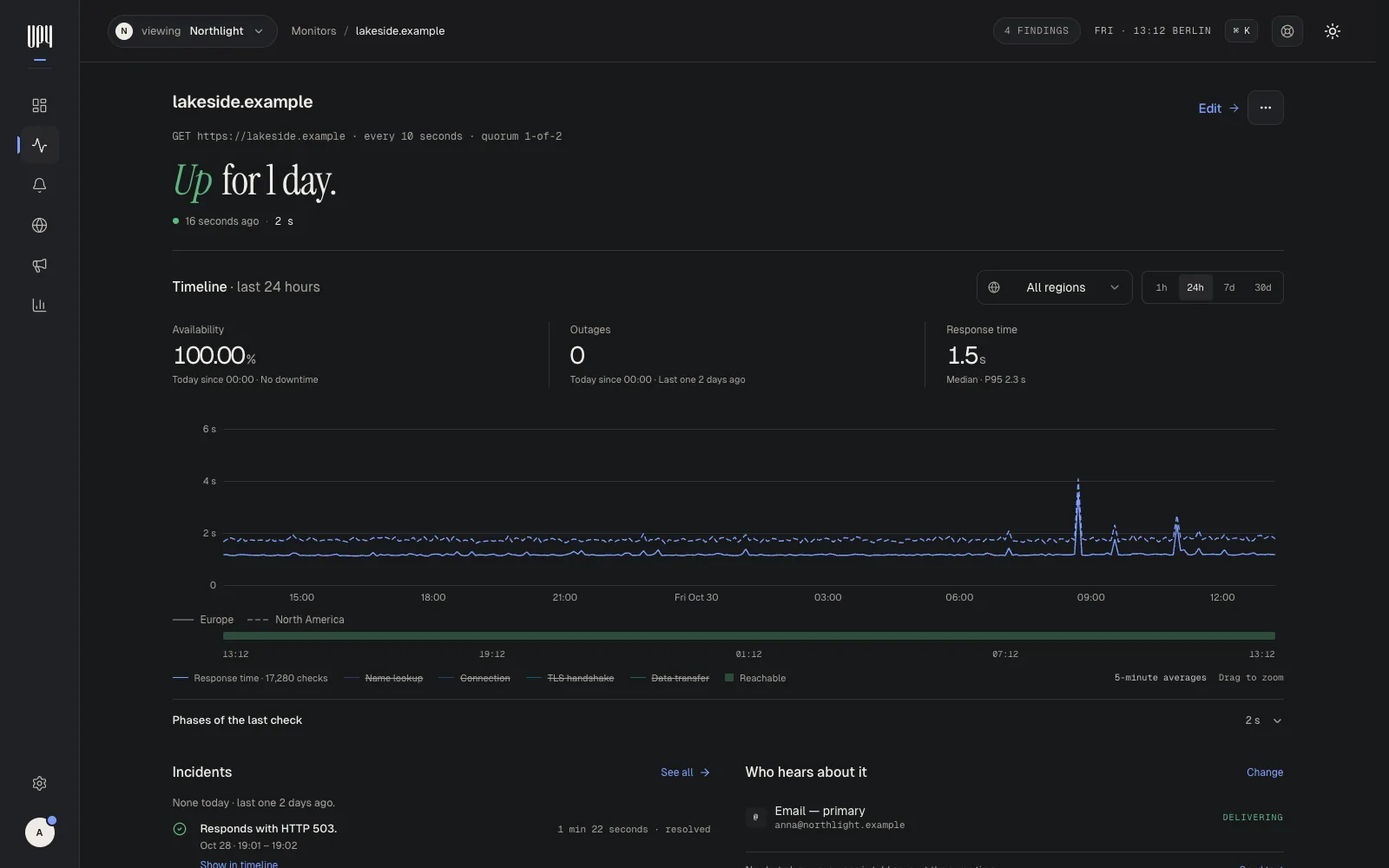
One website in detail

Response times from Europe and North America over the last 24 hours.

An up4 monitor page with availability, outages and 24 hours of response times from two regions. Enlarge ↗
03 / Setup

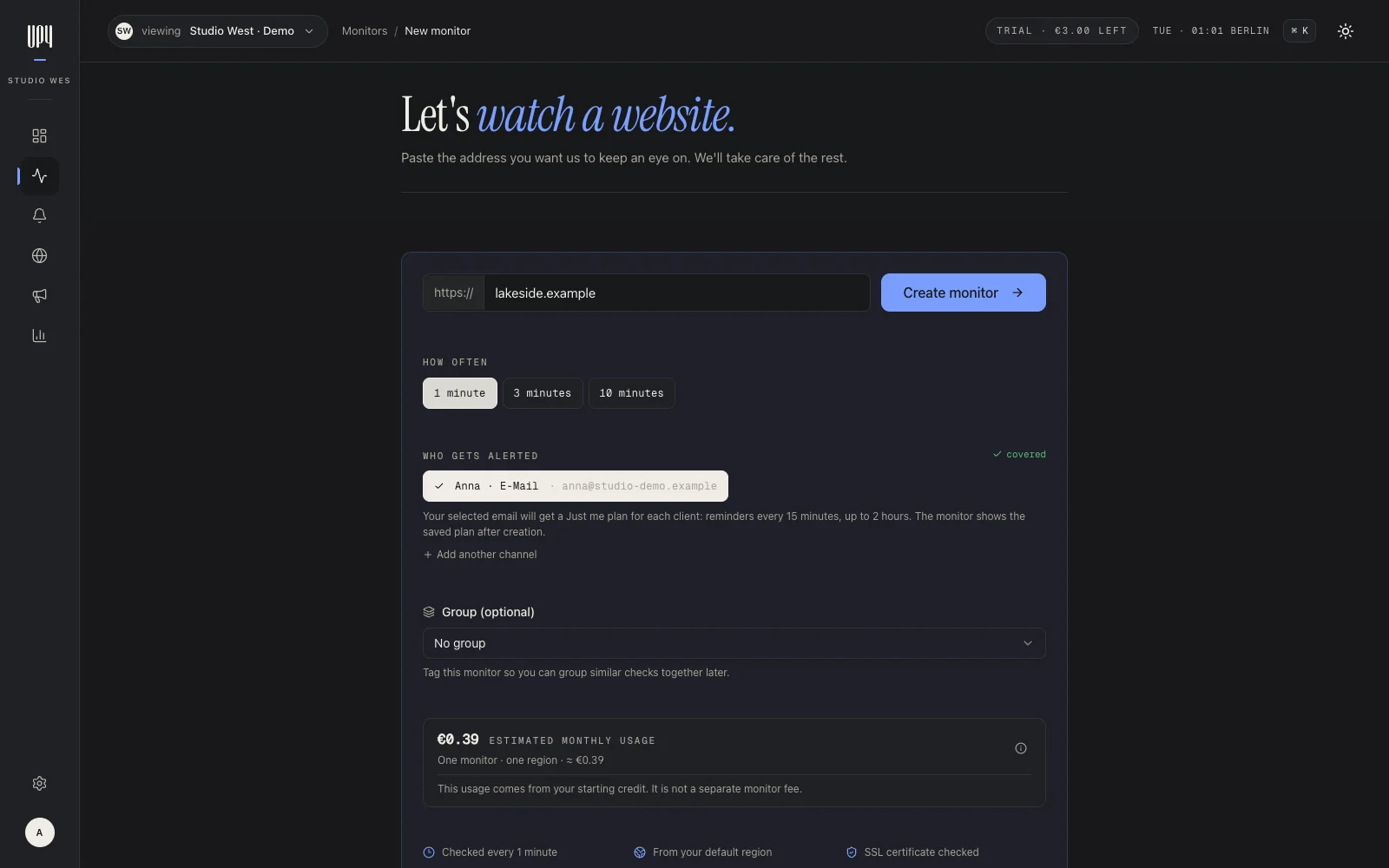
First monitor

Website, check interval and recipient are enough to start.

The up4 monitor setup with website address, interval, cost estimate and recipient. Enlarge ↗
04 / Reports

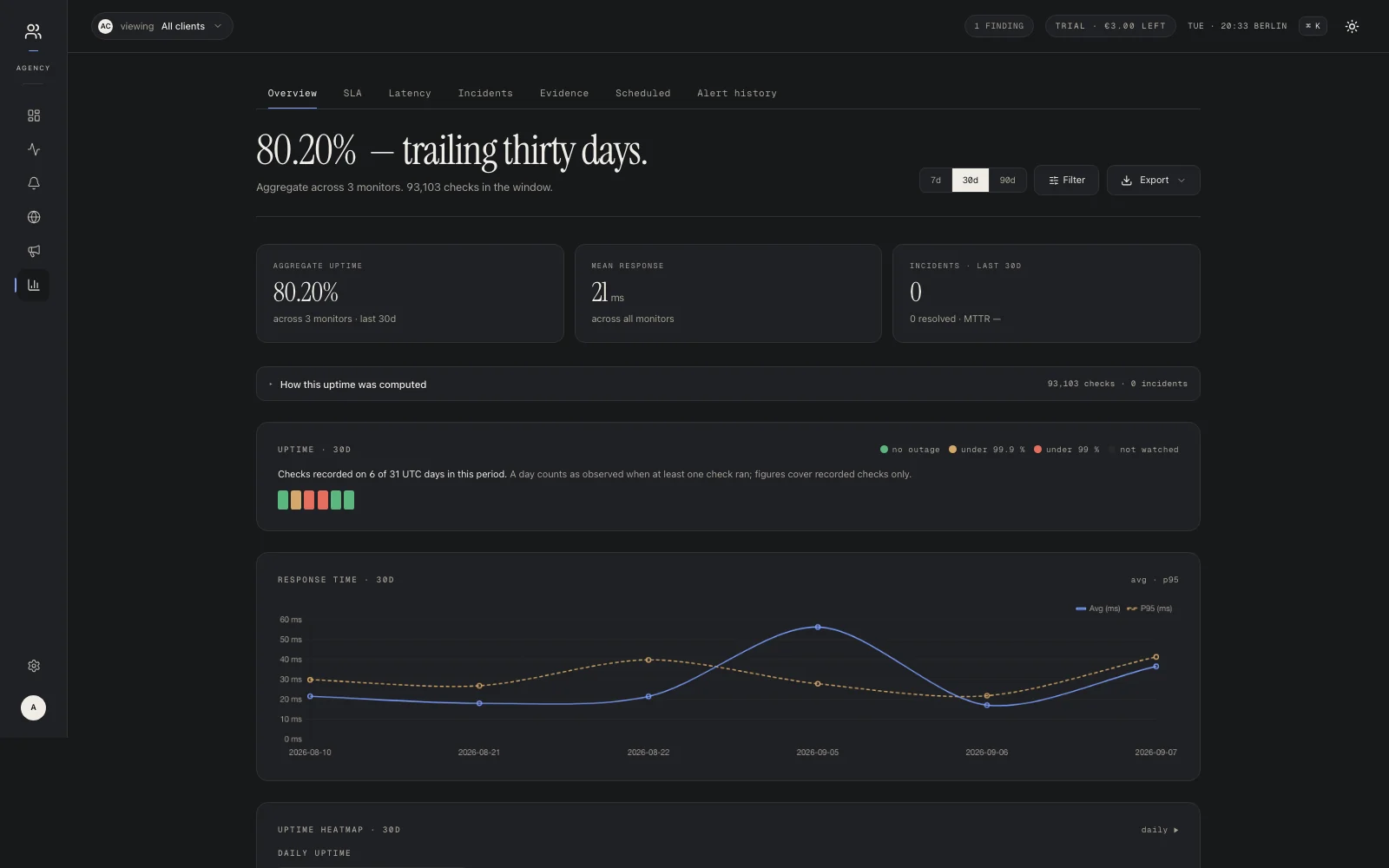
Reports by period

Review uptime and response times for a period you choose.

An up4 report with uptime and response-time charts from recorded history. Enlarge ↗

Real app captures (English-language screenshots) with example clients and recorded check history. Click to enlarge.

What it does

Check, respond, keep clients informed

The parts of up4 the menu points to. Each one is in the product today.

Websites and APIs

HTTP and HTTPS checks from every 10 seconds. A request can carry its own method, headers, body and authentication, so a login or POST endpoint is tested the way it is called.

  • Expected answer status code, redirects and timeouts decide up or down
  • Response times always measured; optional slowdown warnings mark a slow but answering service as degraded
  • Confirmed before the alert three consistent observations before an outage is reported
  • Several regions with more than one region, a majority confirms the outage

More checks

One monitor list for every kind of check. Each type counts at the same €9 per million executions.

  • HTTP and HTTPS status, redirects, headers, response time
  • Keyword and body text must or must not appear in the response; requests with a body, such as POST
  • Ping real ICMP echo, not a TCP guess
  • TCP is the port open, for databases, mail or game servers
  • DNS a record against a chosen resolver, optionally with the expected answer
  • SSL and domain expiry as an alert a warning the chosen number of days before a certificate or domain registration runs out
  • Scheduled jobs cron jobs and backups that must check in

Alerts and on-call

An alert goes to whoever is responsible right now. If nobody acknowledges it, it moves on to the next person.

  • Alert plans steps with waiting times, until someone acknowledges
  • On-call rotation rotations with one-click overrides
  • Confirmation and recovery periods per monitor, for failure and for the way back
  • Maintenance windows planned work stays quiet; paused monitors cost nothing

Incidents and diagnosis

Every outage becomes an incident with its own record, from the first failed check to recovery.

  • Timeline checks, alerts, acknowledgements and comments in order
  • Screenshot what the page showed during the outage; Team and Agency include a monthly allowance
  • Playbooks shared steps, checked off together on the incident
  • Severity and comments so the next person knows where things stand

Integrations

16 alert channels: Email, SMS, voice call, webhook, Slack, Telegram, Microsoft Teams, Discord, PagerDuty, Zapier, Datadog, New Relic, Jira, Grafana, ntfy, Pushover.

  • REST API scoped keys, OpenAPI 3.1, silent switches (notify: false, dry-runs); key management and billing stay in the app
  • Webhooks subscriptions are always signed; the webhook alert channel signs once you set a secret
  • Terraform and CI drive up4 from your own Terraform or scripts with team-scoped API tokens
  • Status badges live SVG badges for a monitor or a status page, for a README or footer
Plans

What changes between plans

Three ways to pay for the same core features. The left column shows what changes; the right column stays the same.

plan switches: 0 · core features changed: 0
What changes
Price €3 /mo minimum · €9 per million checks€19 /mo flat€49 /mo flat
Monitors starting credit: 50 · no plan limit once topped up100 included500 included
Checks metered: you pay per check20 million a month included (€180 list value)66 million a month included (€600 list value)
And top up from €10; usage and the monthly minimum draw from itone predictable line on the invoice500 monitors + 66M checks

What doesn’t
10-second checks available on every plan; usage and plan limits still apply
Checks from four regions Germany, US, Singapore, Australia; each region’s checks count separately
Unlimited users we do not bill you per colleague
Status pages public, subscribable, translated
16 alert channels Slack to PagerDuty
Escalation & on-call rotations, overrides, escalation until acked
Playbooks shared steps during incidents
Scheduled job monitoring your nightly jobs, expected on time
Reports & exports SLA evidence, CSV to PDF
API + webhooks documented; webhook subscriptions are signed
German core application and primary database

Client areas are available on every plan. The status-page business features (no up4 branding, password, e-mail-code access) are included on Team and Agency and cost €10 per page a month on pay as you go and starting credit; subscriber CSV import opens after your first payment. A custom status-page domain costs €2 a month on pay as you go, counted per day from your credit. Agency mainly packages the monitor and check volume that client work usually needs. Plans are priced by volume; all prices net.

Contents

All features in seven chapters

Everything below is in the product today. Core features ship on every plan; custom domains and status-page business features are priced separately. The linked chapters have their own pages.

01

Watch

  • HTTP & HTTPS checks down to every 10 seconds, confirmed before we alert
  • Ping monitoring real ICMP echo, not a TCP guess
  • Scheduled jobs cron jobs and backups that must report in
  • Confirmed before alerting three consistent observations before we call it down
02

Alert

  • 16 alert channels Slack, email, PagerDuty, webhooks and more
  • Alert plans if nobody acknowledges, it climbs
  • On-call rotations one-click overrides included
  • Short blips confirmation before the alarm cuts alerts for brief state changes
03

Communicate

  • Status pages white-label, subscribers, translations
  • Subscriber notifications email subscribers; CSV import after the first payment
  • Translations status pages in your customers’ language
04

Operate

  • Incidents a timeline from the first failed check
  • Playbooks steps checked off during the incident, together
  • Maintenance & pause paused monitors cost nothing
05

Prove

  • Reports SLA, downtime ledger, response time
  • White-label PDF your logo, your domain, their inbox
  • Share links frozen snapshots with a public verify hash
  • Exports CSV, XLSX, JSON, PDF
06

For agencies

  • Client areas separated per client at the data level
  • Client share links read-only, no users to buy
  • Client templates onboard the next client in minutes
07

Platform

  • API + webhooks signed subscriptions, documented
  • Batch import paste URLs, get monitors
  • 2FA & magic links TOTP, backup codes, passwordless sign-in
  • Published check IPs checks from four regions, egress IPs listed
FAQ

Frequently asked questions

Is any feature paywalled?
Mostly no. Plans price volume (monitors and checks). Client areas, status pages, playbooks, on-call, reports and the API are available on every plan, including pay as you go. Three things differ. Custom domains for status pages: Team includes one, Agency ten, more can be added as add-ons; on pay as you go each domain costs €2 a month, counted per day from your credit. The three status-page “business features” (removing our branding, password protection, e-mail-code access): €10 per page a month on pay as you go and during the starting credit, included on Team and Agency. And the CSV import of status-page subscribers, which opens after your first payment.
Do higher plans check faster?
No. A 10-second interval is available on every plan, but it is not unlimited usage. The starting credit supports up to 50 monitors; paid pay as you go meters every monitor-region execution and has no monitor cap of its own once you have topped up. Team supports up to 100 monitors and 20 million checks a month; Agency up to 500 and 66 million. A change that would push the projected 30-day check load past the budget (plus packs) is refused: a new or resumed monitor, a shorter interval, another region. A pack, a plan change, a longer interval or fewer regions lifts it; running monitors are not slowed.
What is the difference between Team and Agency?
Volume. Agency includes 500 monitors, a 66-million-check budget and ten custom domains instead of 100, 20 million and one. Both can use client areas with separated data, white-label reports and share links; Agency is sized for doing that across more clients. The calculator shows the break point.
Where is the free plan?
There isn’t one. You get €9 starting credit with the core features, no card required. With light use it lasts about three months; heavier use ends it sooner, and the app shows the estimate. How it is calculated.
Is there an API?
Yes. The public API reaches monitors, scheduled jobs, incidents, status pages, alerting, on-call, playbooks, clients, teams, webhooks, reports and company settings. API key management, billing and personal account settings stay in the signed-in app. Webhook subscriptions are signed, and the docs are public.
Where does it run?
The application and primary database run in Germany. Checks run from the regions you choose per monitor (Germany, US, Singapore, Australia), from published egress IPs. Check results stay in the EU: in Germany, and after seven days in an archive in Paris. See security and data locations and the current DPA status.

You only choose how much to check.

€9 starting credit, no card, about three months of light use. After that, pay as you go from €3 a month or choose a monthly plan.