Check page content
Afterwards up4 alerts you when a page still loads but no longer shows what it should.
- Who: Any role except Viewer
- Time: About three minutes
- Cost: About €0.13 a month from your credit
You need the address of the page. The amount is for one check every three minutes. A text check costs the same as any other check.
Steps
-
Enter the page address
Keep the monitor type on HTTP(s). Under URL to watch, enter the full address of the page that shows the text, for example
https://example.com/shop. The check reads only this page.
-
Choose what counts as down
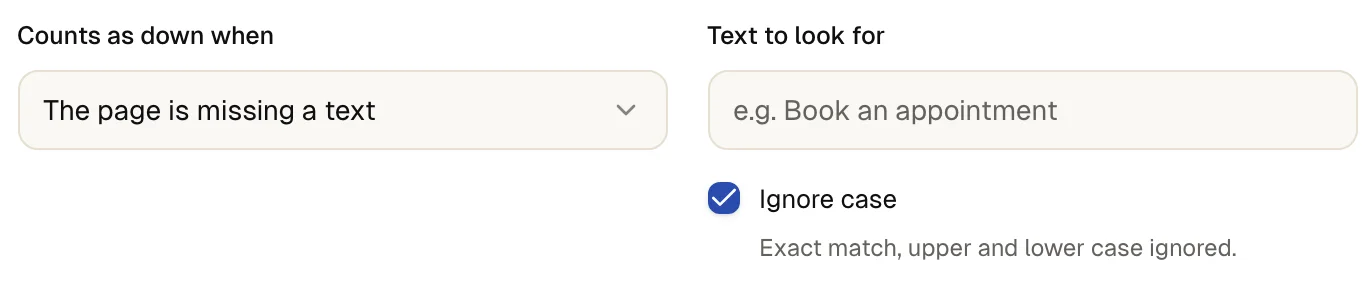
Under Counts as down when, choose one condition:
- The page is missing a text: alerts when the text is gone. Use it for something every healthy page shows, such as a button label.
- The page contains a text: alerts when the text appears. Use it for an error message that arrives inside a normal page.
- The status code is other than…: alerts when the page answers with any other status code than the one you name.
The default, It stops responding or returns an error, treats every answer outside the 2xx range as down. A monitor has one condition. For two conditions on one page, create two monitors.
-
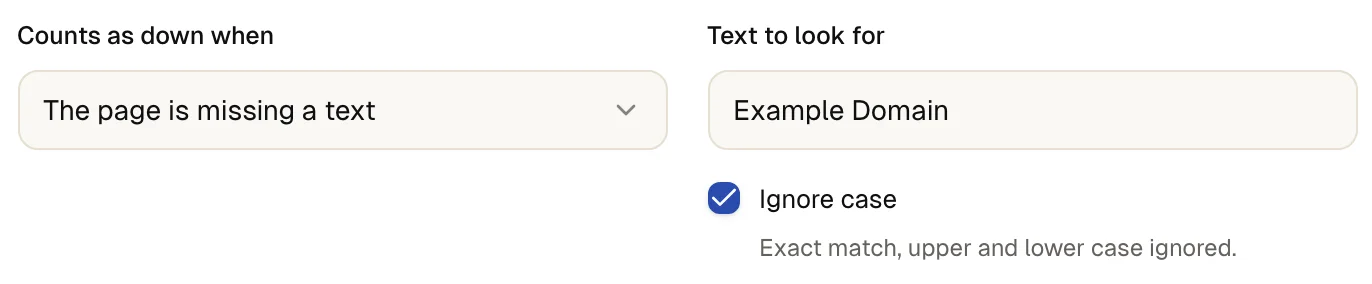
Enter the text or the status code
For a text, type it into Text to look for, for example
Add to cart. up4 looks for exactly these characters in the page source. Ignore case is on, soADD TO CARTmatches too. Turn it off when capitalization matters.For a status code, enter a number from 100 to 599 under Expected status code. up4 compares it with the final answer, after redirects. To expect the redirect itself, such as 301, turn off Follow redirects in step 4.
-
Set up the request if the page needs it
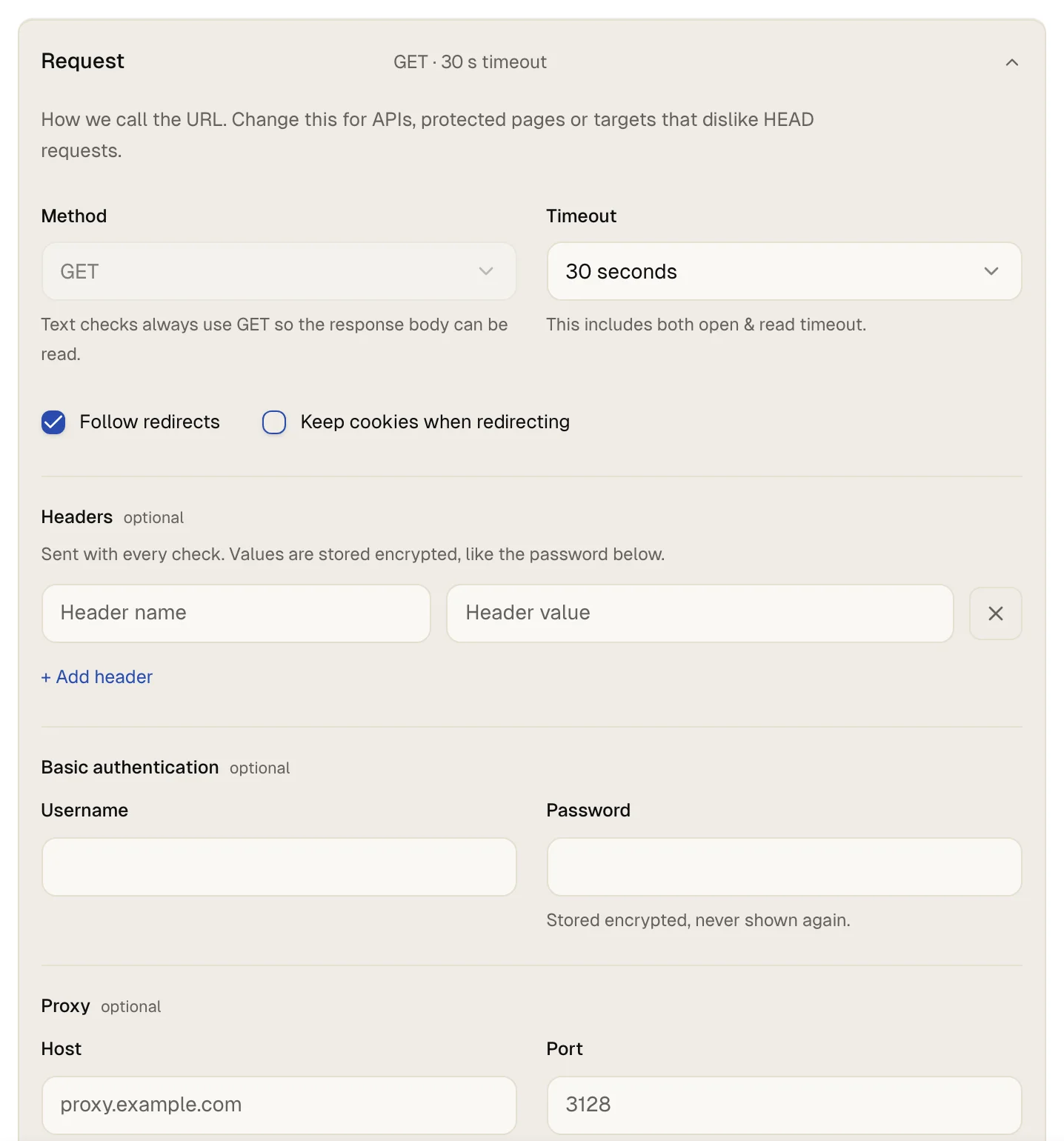
Scroll to the card Everything else and open Request. Change only what the page needs:
- Method: GET, HEAD, POST, PATCH, PUT or OPTIONS. Text checks always use GET, because a HEAD answer has no page to read.
- Request body: appears for POST, PUT and PATCH, up to 8 KB. up4 sends it as form data unless you add a Content-Type header. These methods need an interval of at least 1 minute.
- Headers: up to 20 name and value pairs, sent with every check, 8 KB in total. Use them for an access token. Values are stored encrypted.
- Basic authentication: user name and password for pages behind HTTP basic authentication. The password is stored encrypted and never shown again.
- Follow redirects is on by default. Keep cookies when redirecting is off by default; turn it on for sites that set a cookie before they show the page.
- Timeout: how long up4 waits for the whole answer. The default is 30 seconds, the longest is 1 minute.
- Proxy: a host and a port, if the check must go through your proxy.
-
Run a test
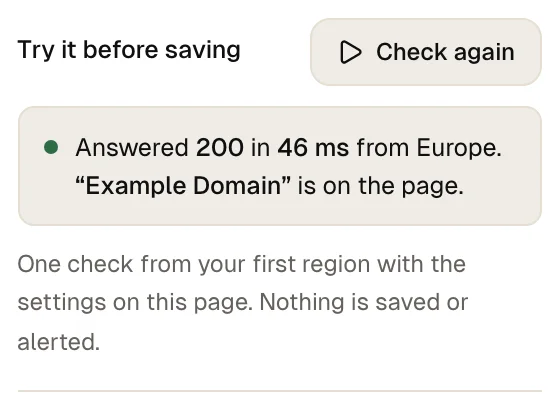
Select Check now. On a wide screen the button sits in the panel on the right, on a narrow one under the address. up4 runs one real check with the settings you have not saved yet and says what it found, for example “Add to cart” is on the page. When the text is missing, the result says so and adds that this would count as down.
-
Create the monitor
Select Create & start. Starts checking right after you create it.
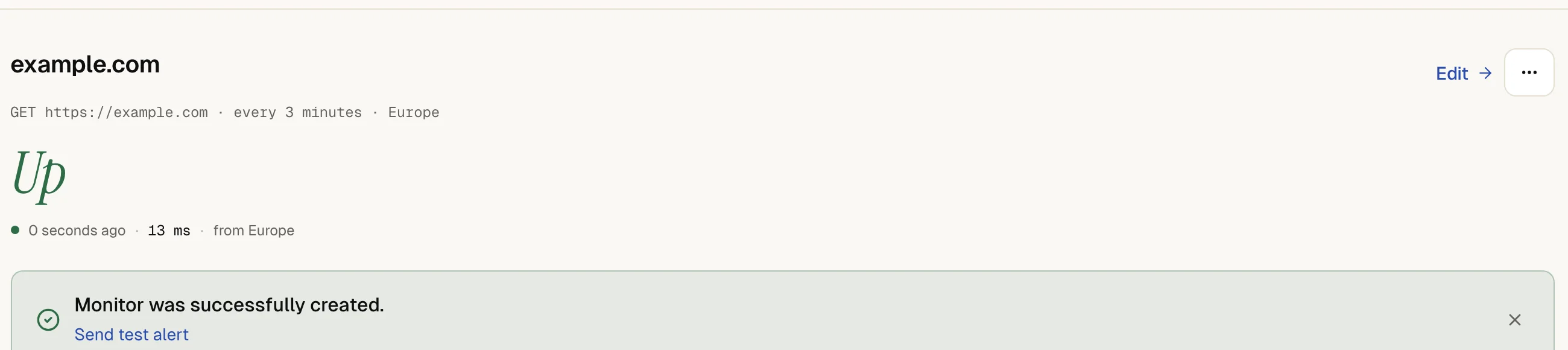
The monitor page shows up after the first check. If the text later disappears, the monitor goes down after 3 matching results. The alert names the cause: Required keyword not found
, or Forbidden keyword found (absence check)
for the other condition.
To see a failure on purpose before you save, enter a text that is not on the page and select Check again. Put your real text back before you create the monitor.
If something is off
The text is on the page, but the check says it is missing.
up4 reads the page source the server sends and runs no scripts, so text added by JavaScript is not there. A tag inside the phrase, such as Add <b>to</b> cart, also breaks the match. Look at the page source in your browser, and copy the text from there.
The check fails with (search is case-sensitive)
.
Ignore case is off. Turn it on, or type the text exactly as the page writes it.
A redirect counts as down.
With Follow redirects off, a 301 or 302 is the final answer. Turn the option on, or choose The status code is other than… and name that code.
The page shows a login, a cookie wall or a bot check to up4 only.
Add a header or basic authentication, or allow the addresses listed under where checks come from. More in troubleshooting.
What up4 does not do here
- A text check needs a 2xx answer. A page that answers 404 or 500 counts as down, whatever it says. To expect such a code, use The status code is other than….
- up4 reads only the first 1 MiB of a page. A text further down is not found, and the alert says that the text is not in the first 1 MiB.
- The match is a plain search for your characters. up4 supports no regular expressions and no wildcards, and it reads the source, not the rendered page.
- up4 does not sign in through a login form. It can send headers and basic authentication.
- A single failed check does not alert you. A status change needs 3 matching results. When you get alerted explains the rest.
- How often up4 checks, from where, and how a check runs are explained in checks and regions.
/v1/monitors | In the app | API field |
|---|---|
| Counts as down when · What counts as up: a successful answer, an exact status code, or a word that must or must not appear. | alert_type |
| Text to look for · The word or phrase to look for in the page. Capitals are ignored while Ignore case is on. | keyword |
| Ignore case · On by default: capitalization is ignored. | keyword_case_insensitive |
| Expected status code · The status code the page must answer with, for example for a redirect you want to keep. | expected_status_code |
| HTTP method · The method up4 sends with every check. A keyword check cannot use HEAD, because HEAD returns no page. | http_method |
| Request body · Data sent with POST, PUT and PATCH checks, up to 8 KB. | request_body |
| Headers · Sent with every check. Up to 20 headers; values are stored encrypted. | request_headers |
| Username · User name for basic authentication. | auth_username |
| Password · Password for basic authentication. Stored encrypted and never returned. | auth_password |
| Follow redirects · Whether up4 follows redirects to the final page. Off, the redirect itself is the answer. | follow_redirects |
| Keep cookies when redirecting · Keeps cookies set during a redirect chain, for sites that set a cookie before they show the page. | keep_cookies |
| Request timeout · How long up4 waits for an answer before the check counts as failed. | request_timeout_s |
| Proxy · Send the check through your proxy. The port goes into the proxy port field. | proxy_host |
Was this page helpful?