Check a server, port or DNS record
Afterwards up4 alerts you when a server stops answering, a port stops accepting connections or a DNS record changes.
- Who: Any role except Viewer
- Time: About three minutes
- Cost: About €0.13 a month from your credit
You need a host name or IP address; the target must be reachable from the internet. These checks cost the same as a website check; the amount is for one check every three minutes.
Steps
-
Choose the check type
Under Monitor type, choose one:
- TCP Port: does a server accept connections on one port? Use it for a mail, database or game server.
- Ping: does a host answer an ICMP echo request? It tells you whether the machine is reachable on the network, nothing more.
- DNS: does a name resolve, and to what you expect? Use it to catch a changed or deleted record.
For a website, use Watch a website instead.

-
Enter the target
Under Host name or IP address, or Domain to look up for DNS, enter only the host, for example
mail.example.comor an IP address. Leave outhttps://, paths and ports. A TCP monitor has its own port field.Addresses inside private networks, such as
192.168.1.10orlocalhost, are refused. up4's checkers reach the public internet only.
-
Set what the type needs
- TCP Port: enter the Port, from 1 to 65535, and choose a Timeout.
- Ping: choose the IP version and a Timeout. Both IPv4 and IPv6 pings one address, the first public one the name resolves to. IPv4 only and IPv6 only fix the version.
- DNS: choose the Record type: A, AAAA, CNAME, MX, NS or TXT. Optionally enter an Expected answer and a DNS server. Without a DNS server, up4 asks a public resolver.
This is what counts as up:
Type Counts as up when TCP Port The server accepts the connection before the timeout. up4 closes it at once. It sends nothing and reads nothing. Ping The host answers one echo request in time. DNS The lookup returns at least one record. With an expected answer, one of the records must equal it. Capitalization and a trailing dot do not matter. 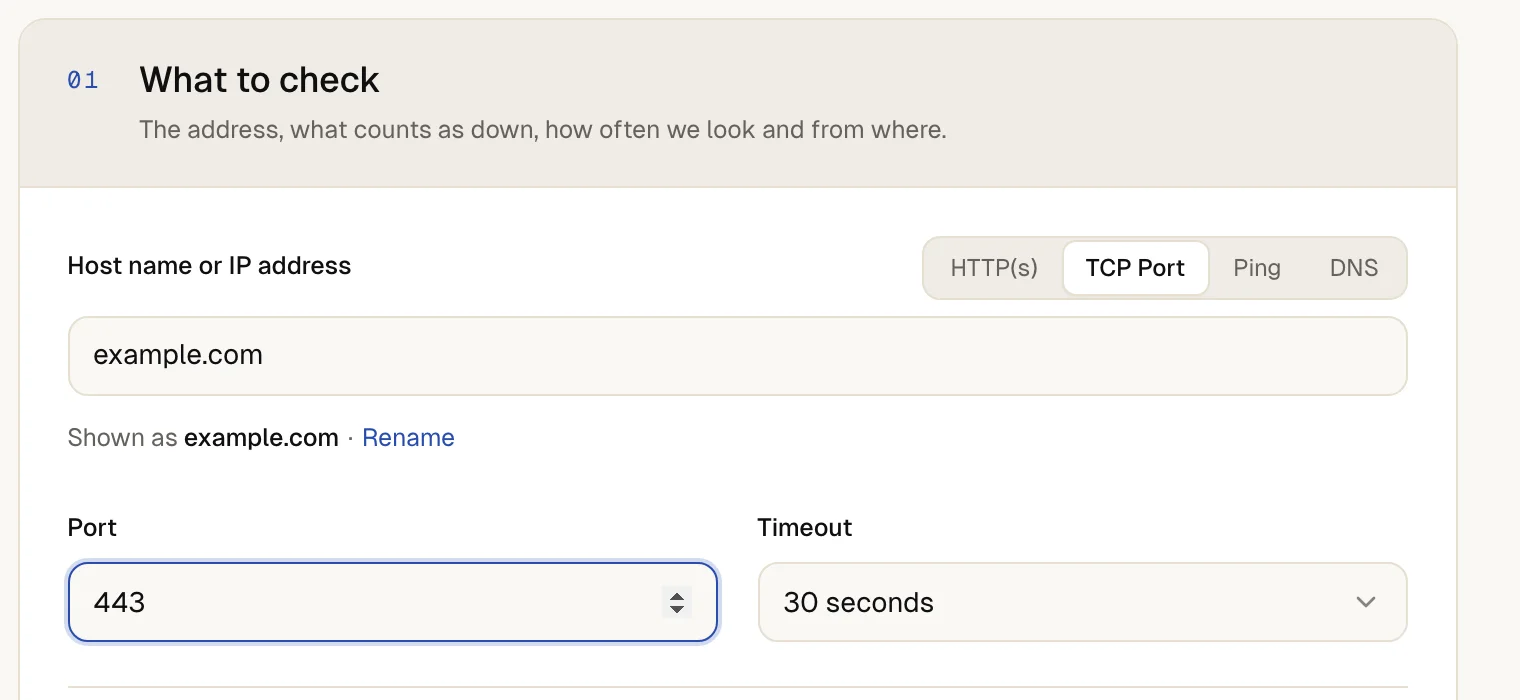
-
Choose how often and from where
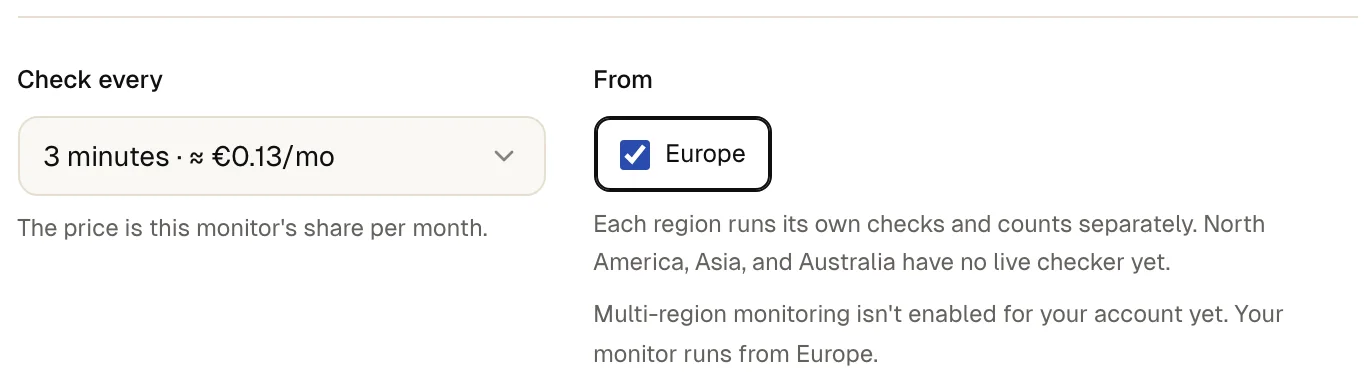
Pick Check every and From. A shorter interval notices an outage sooner and costs more. Checks and regions explains both.
-
Run a test
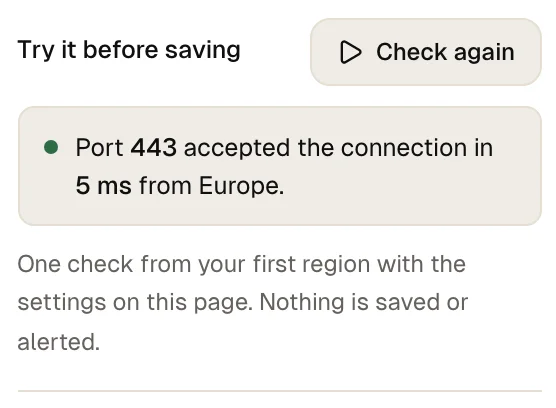
Select Check now. On a wide screen the button sits in the panel on the right, on a narrow one under the address. up4 runs one real check with the settings you have not saved yet. The result says that the port accepted the connection, that the host answered or that the record resolved, and how long it took.
-
Create the monitor
Select Create & start. Starts checking right after you create it.
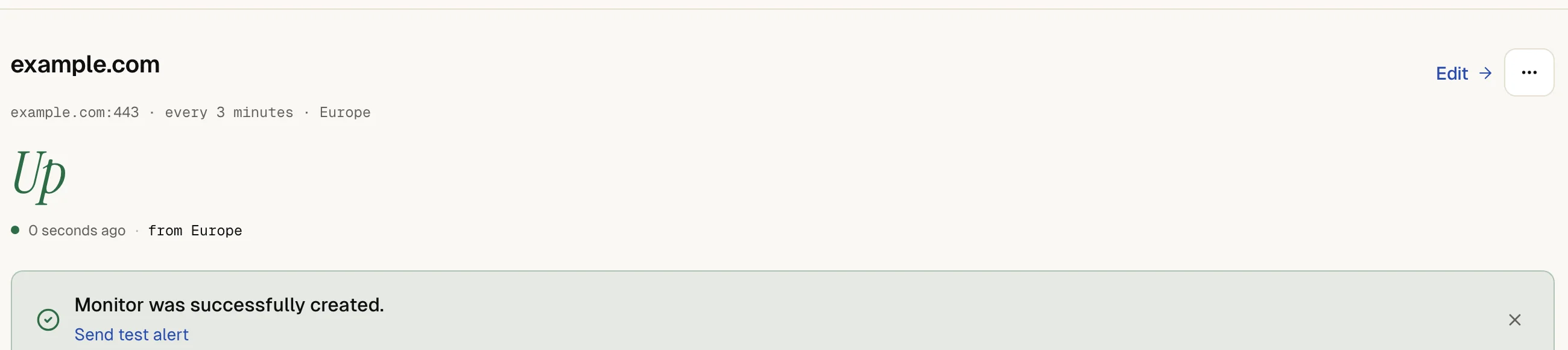
The monitor page shows up after the first check, with the response time of the connection, the echo or the lookup.
If a check later fails, the alert names the cause, for example Connection refused
, Address not found (DNS)
, No DNS record found
or DNS record does not match the expected value
. A status change needs 3 matching results.
If something is off
Ping shows down, but the server works.
Many servers and firewalls drop ping on purpose. Check a port the server serves with TCP Port instead.
The port is open for you, but the check fails.
A firewall may allow only some addresses. Allow the addresses listed under where checks come from. More in troubleshooting.
The DNS check says the record does not match.
up4 compares the whole record. For MX, enter the mail server name without the priority. For TXT, enter the complete text of one record. A resolver may also keep serving the old record until its cache expires.
The form refuses the host.
Enter a public host name or IP address, with no scheme, path or port. The DNS server follows the same rule and only takes a host.
What up4 does not do here
- A port check only tests whether the connection opens. up4 does not speak the protocol, read a greeting or check a certificate on that port. A monitor watches one port; create one monitor per port.
- Ping sends one echo request per check and waits a few seconds for the answer, whatever you choose under Timeout. A longer timeout does not extend that wait.
- The IP version applies to ping only. For DNS, the record type decides: A answers with IPv4, AAAA with IPv6.
- Without an expected answer, any answer counts as up. An A or AAAA check also stays up when the name has only the other kind of address, and a CNAME check stays up for a name without a CNAME record, because it returns the name itself. Set an expected answer to be sure.
- If you leave the DNS server empty, up4 asks the public resolver 8.8.8.8 over UDP on port 53. A custom server must be public and takes a plain host or IP address. The port cannot be changed.
- A DNS check tells you what a DNS server answers. It does not tell you whether the server behind the answer works.
- A single failed check does not alert you. When you get alerted explains the rest.
/v1/monitors | In the app | API field |
|---|---|
| Monitor type · The kind of check: a website, a port, a DNS record or a ping. | monitor_type |
| Host · The server up4 connects to. | tcp_host |
| Port · The port up4 connects to, from 1 to 65535. | tcp_port |
| Host name or IP address · For a ping monitor the host or IP address goes into the address field. | url |
| IP version · Applies to ping monitors only. | ip_version |
| Domain to look up · The domain name up4 looks up. | dns_query |
| Record type · The record type to look up: A, AAAA, CNAME, MX, NS or TXT. | dns_type |
| Expected answer · A value the answer must contain. Empty only checks that the name resolves. | dns_expected |
| DNS server · The DNS server up4 asks. Empty uses a public one. | dns_server |
| Request timeout · How long up4 waits for an answer before the check counts as failed. | request_timeout_s |
Was this page helpful?